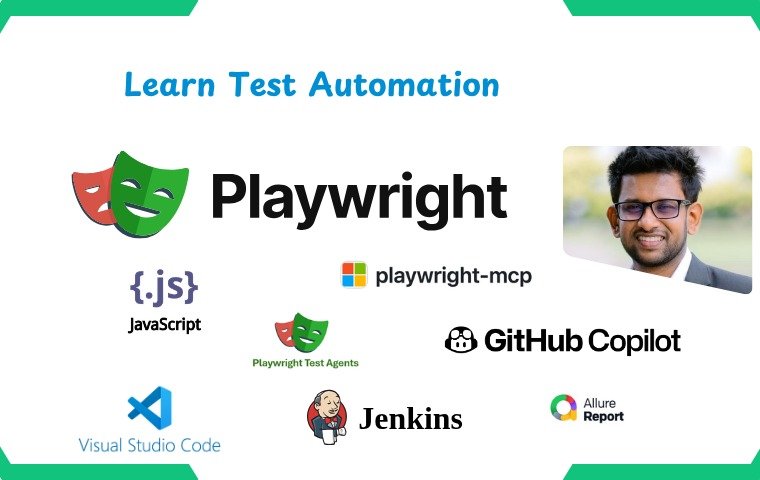
Test Automation with Playwright
Course Content
01 Introduction
02 Understanding the QA Process
03 What is Playwright
04 Configurations
05 Create a Playwright Project and Explore the Default Test
-
01 Create first Playwright project
10:52 -
02 Run Test Case and Test Report
07:32 -
03 Overview of Package, Package-lock json files
03:35 -
04 Overview of playwright configuration file
21:28
06 Build Our First Test Automation Project with Playwright
-
01 Introduction
01:23 -
02 Automation Test Scenario overview
01:27 -
03 Create New Playwright Project and Test File
06:07 -
04 Test Function Creation and overview
13:49 -
05 First Automation Script – Part 01
29:38 -
06 First Automation Script – Part 02
28:00 -
07 Recap our First Automation Script
08:29 -
08 Implementing Another Login Automation Scenario
17:42 -
09 Limitations in our first automation Script
01:57
07 Fixtures in Playwright
-
01 What is Playwright Fixture
03:25 -
02 Browser Fixture
15:06 -
03 Page Fixture
10:04 -
04 Brower Name Fixture
09:26 -
05 Fixtures Coverage
01:24 -
06 Write Efficient Test Cases Using Fixtures
12:28
08 Run Tests Without Using the Command Line
-
01 Run Test Cases Using a Plugin
05:46
09 Test Verification in Playwright
-
01 Overview of Assertions in Playwright
09:42 -
02 Test Verification Part – 01
16:04 -
03 Test Verification Part – 02
12:34 -
04 Verification Part – 03
06:52
10 Timeouts in Playwright
-
01 Overview of Timeout Section videos
01:18 -
02 Playwright Expect Timeout
25:09 -
03 Playwright Test Timeout
07:28
11 Different Types of Assertions with Playwright
-
01 Assertions Overview
01:21 -
02 Assert – Page Title
11:49 -
03 Assert – Page URL
07:39 -
04 Assert – Element Visibility
09:09 -
05 Assert – Element Disabled (Part 01)
07:44 -
05 Assert – Element Disabled (Part 02)
01:50 -
06 Assert – Check Class
05:52 -
07 Assert – Element Enabled
05:30 -
08 Assert – Element Checked
08:09 -
09 Assert – Element Count
12:58 -
10 Assert – Attribute Check
09:10 -
11 Non-Retry Assert
22:03
12 Element Handling and Playwright Locators
-
01 Overview Of Element Handling
02:41 -
02 Text Box Handling with Playwright
13:36 -
03 File Upload Handling with Playwright
12:20 -
04 Checkboxes Handling with Playwright
12:33 -
05 Radio Buttons Handling with Playwright
04:37 -
06 When to use Check and Click for Radio buttons and Checkboxes
04:09 -
07 Dropdown Handling with Playwright
10:31 -
08 Button Handling with Playwright
03:18 -
09 Locate Image Element
03:21 -
10 How to Select Element Locators in Playwright
03:06
13 Test Reports
-
01 HTML and Allure Reports with Playwright
21:27 -
02 Enable Screenshots and Videos in Report
10:12 -
03 Enable Retries and History in Reports
04:17
14 How to Debug Tests in Playwright
-
01 Why we need to Debug our Tests
03:01 -
02 Debug with –debug command
05:05 -
03 Run and Debug with –ui command
04:05 -
04 Trace Viewer in Playwright
08:06
15 Fixtures in Playwright (Continued)
-
01 Request Fixture
17:31 -
02 Context Fixture
14:26
16 Run Playwright Tests on Different Devices (Desktop & Mobile)
-
01 How to Run Playwright Tests on Multiple Devices
05:48
17 Understanding XPath for Element Locators
-
01 Xpath Introduction
01:00 -
02 Element Locator Strategy (Xpath)
07:52 -
03 How use Xpath in Playwright code
03:53
18 End to End Flow Automation
-
01 Course Enrollement flow E2E Automation
29:07 -
02 Add Student Flow E2E Automation
17:33
19 Page Object Model With Playwright
-
01 Page Object Model Introduction
06:20 -
02 Creating a Page Class in Playwright (POM)
27:57 -
03 Writing Test Cases Using POM
14:29 -
04 Adding Assertions to POM Test Cases
10:44 -
05 Parameterizing Tests with Test Data
11:24 -
06 Accessing Multiple Pages with Page Objects
17:01 -
07 Page Object Model Recap and Advantages
07:22 -
08 Managing Base URL in Page Object Model
11:51 -
09 Navigation Relate Test Automation Using POM (Part 01)
25:07 -
10 Navigation Relate Test Automation Using POM (Part 02)
07:49 -
11 Add Student E2E with POM (Part 01)
22:29 -
12 Add Student E2E with POM (Part 02)
18:02 -
13 Course Enroll E2E with POM
34:41 -
14 Page Object Model Summary and Key Points
06:08
20 CI/CD Integration with Playwright
-
01 Introduction to CICD
07:56 -
02 Jenkins Installation
07:10 -
03 Configure and Run POM project in Jenkins
18:18 -
04 Extra configurations in Jenkins environment
05:28
21 AI with Test Automation and Quality Assurance
-
01 Introduction of AI with Test Automation and Quality Assuarance
15:01
22 Playwright MCP Server
-
01 Playwright MCP Server
26:43
23 Test Automation using Github Copilot
-
01 Create github account and configure github copilot tool
05:21 -
02 Automate Test cases using github copilot
26:49
24 Playwright Codegen – Generate your code Automatically
-
01 Playwright Codegen
12:39
25 Using Playwright Agents for Test Automation
-
01 Create, Generate, Heal, and Run Test Cases using Playwright Agents
19:09
26 Playwright 1.59 Features
-
01 Playwright Screencast
15:04 -
02 Playwright Copy Prompt
05:01 -
03 Playwright Dashbaord
07:20
Resources
-
Resources
00:00
Student Ratings & Reviews
No Review Yet